Corridor Key - Remove Green Screens Perfectly with AI
Corridor Key is a free, open-source AI green screen keyer. Upload a clip up to 8 seconds, swap the background, download an MP4.
Free. No signup. No install.
Corridor Key — AI Green Screen Keyer
Upload a clip (up to 8 seconds), choose a new background, download the MP4. Works best with short clips — first visit may take 30 to 60 seconds while the GPU warms up.
Loading — first visit may take 30 to 60 seconds while the GPU warms up...
What Corridor Key Does
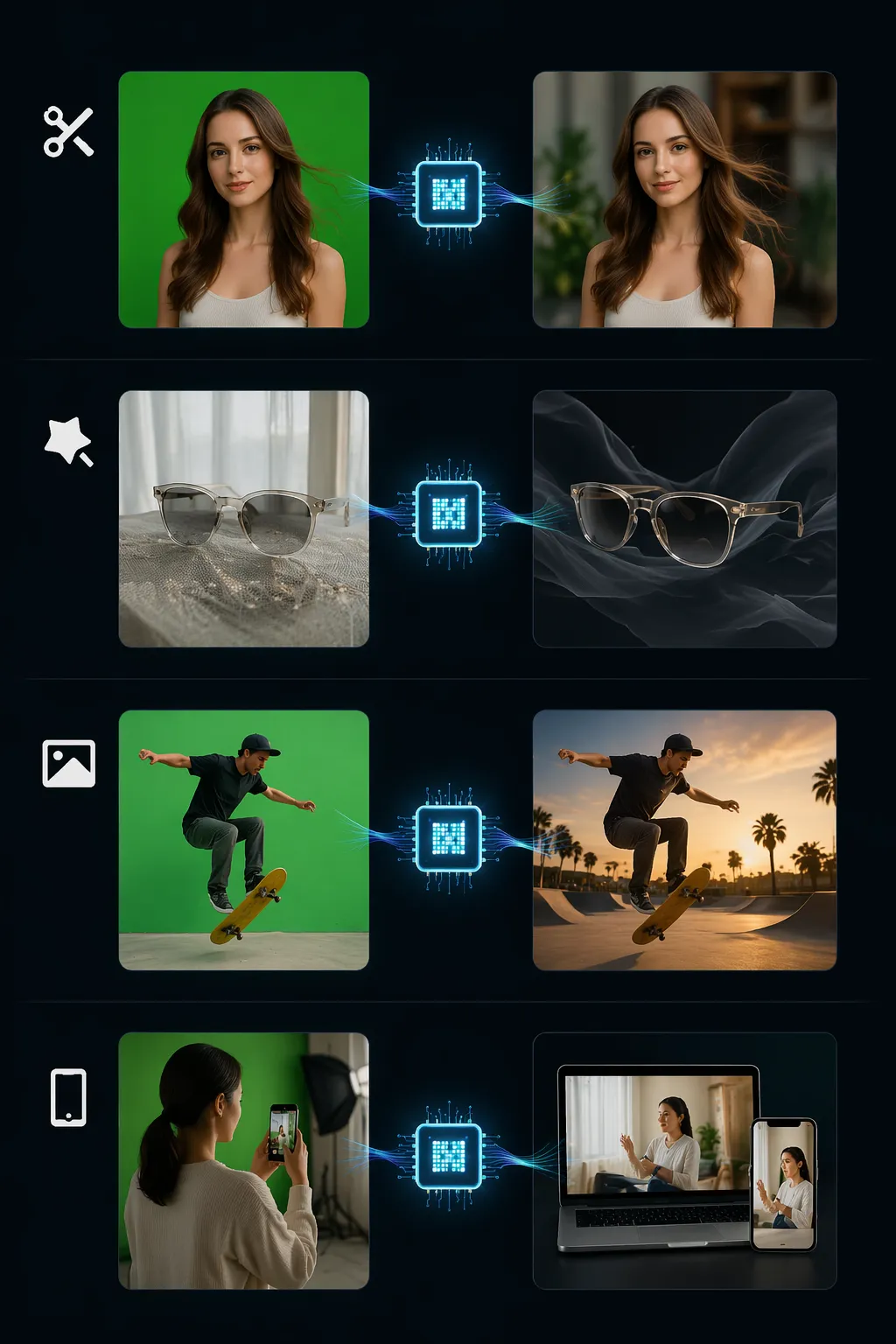
Pull your subject out of any clip — no physical green screen, no manual cutouts, no tracing every frame by hand. The AI handles the hard edges so you focus on the content.
- Clean Hair and Soft EdgesFlyaway strands, loose curls, fur — Corridor Key preserves the detail that real green screens miss. No green halo, no jagged outline, no tracing by hand.
- Handles Glass and Sheer FabricGlass, eyewear, sheer fabric, mesh — the AI understands partial transparency and keeps the fine detail in every frame.
- Swap to Any BackgroundPick a solid color, drop in a still image, or use another video. The exported MP4 is ready for any platform.
- Any Device, No InstallRuns in the browser. Record on your phone, upload from a laptop, grab the MP4 anywhere — no install, no plugin, no GPU needed on your end.
Why Creators Pick Corridor Key
Three reasons Corridor Key beats paid keyers and desktop software:

How Corridor Key Works in 3 Steps
From raw footage to a finished MP4 in under a minute. The flow, start to finish:
Upload a Video Clip
Drag an MP4 into Corridor Key or click to pick one. Works best with clips up to 8 seconds — trim in QuickTime or any editor before uploading.
Choose the New Background
Pick a solid color, upload a still image, or drop in another video. The AI separates your subject and places it over the new scene.
Download the MP4
Click to process. The old background goes, the new one slots in, and you get an MP4 ready for YouTube, TikTok, Shorts, or your editing timeline.
Corridor Key Features
Six capabilities that make Corridor Key the fastest way to pull off a green screen effect online:
AI Green Screen Keying
The AI separates your subject from any background — no real green screen, no manual cutouts. Every edge handled cleanly.
MP4 In, MP4 Out
Upload a standard MP4. Download a re-encoded H.264 MP4 with the new background baked in — ready for YouTube, TikTok, Reels, Shorts, or your editing timeline.
Fast Mode for Short Clips
Fast Mode processes an 8-second clip in seconds. Full Mode trades a little extra time for sharper edge polish on hair and semi-transparent detail.
Color, Image, or Video Backgrounds
Drop in a neon solid for social posts, a branded still for product shots, or a looping video for a virtual set — layered on in one step.
No Signup, No Limits
No account required. No daily cap, no monthly limit, no usage counter. Run one clip or a hundred — the price stays zero.
Desktop, Tablet, and Mobile
Runs on any screen. Processing happens on our servers, so your phone or tablet never breaks a sweat — upload, wait, download.
Corridor Key by the Numbers
Real-world stats:
Up to 8s Per Clip
Per Clip
MP4 Industry Format
Industry Format
100% Free Forever
Free Forever
What Creators Build with Corridor Key


Corridor Key FAQ
Quick answers — what it does, how clips are handled, and what the limits are.
Ready to Swap Your Background?
Corridor Key is free forever — no signup, no install.
Upload your first clip (up to 8 seconds) and get your finished MP4 in under a minute.